> ## Documentation Index
> Fetch the complete documentation index at: https://beta-guide.daro.so/llms.txt
> Use this file to discover all available pages before exploring further.
# Register an App
> Register and manage apps from a single DARO account.
Register your app:
1. Navigate to **Apps** and click **Add App**.
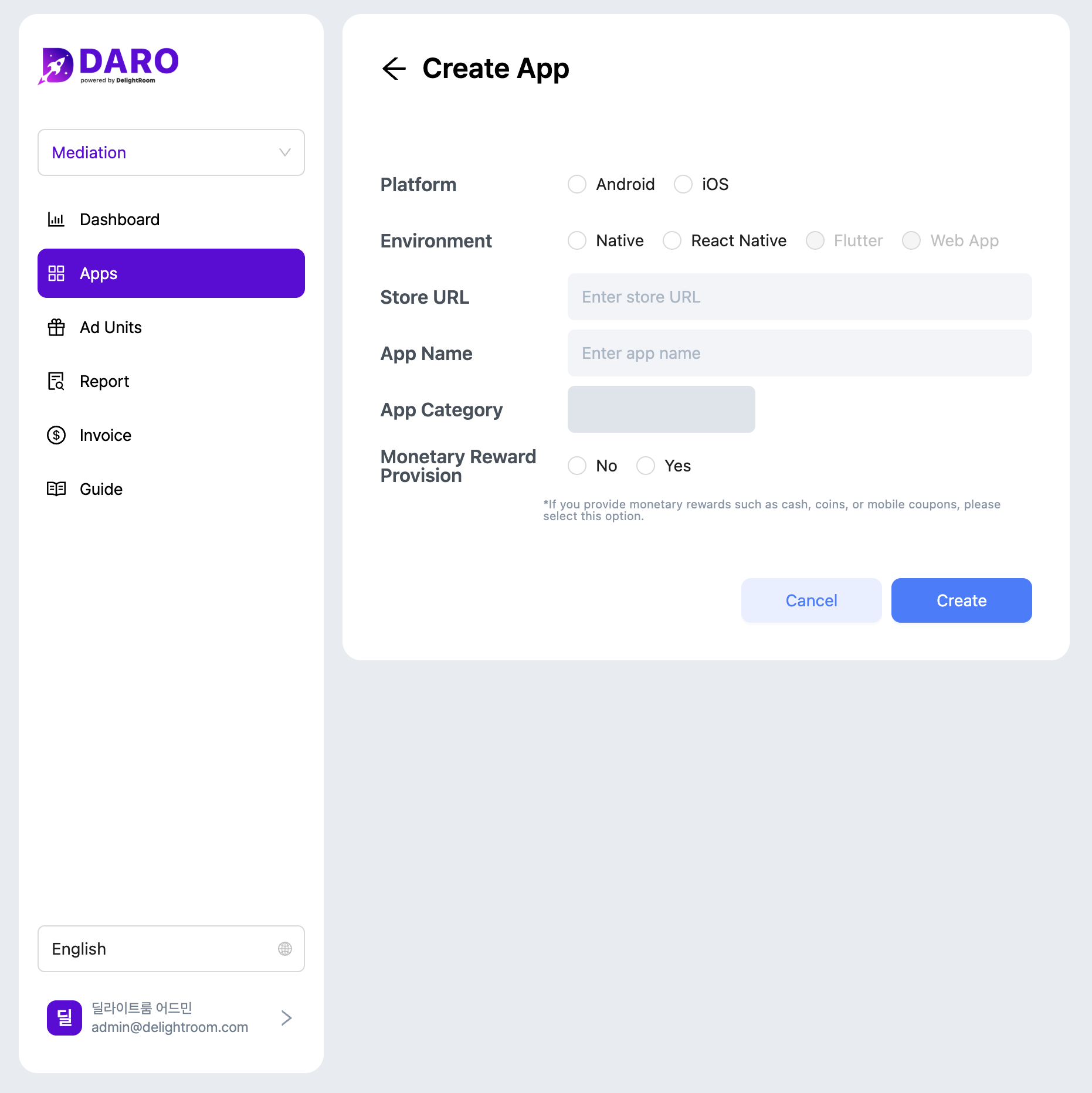 2. Select platform and development environment, then enter store URL and app name.
* **Platform**: Choose Android or iOS. Apps supporting both platforms require separate registration.
* **Development Environment**: DARO supports Native (Kotlin, Swift) and React Native. Flutter and Web Apps are not supported.
* **App Category**: Automatically populated from store listing.
* **Physical Rewards**: Select 'Yes' if you offer or plan to offer physical rewards. Otherwise, select 'No' and click **Add**.
**Physical Rewards**: Disclose if users can exchange in-app currency for physical rewards or receive physical rewards directly. This is required for ad demand policy compliance.
2. Select platform and development environment, then enter store URL and app name.
* **Platform**: Choose Android or iOS. Apps supporting both platforms require separate registration.
* **Development Environment**: DARO supports Native (Kotlin, Swift) and React Native. Flutter and Web Apps are not supported.
* **App Category**: Automatically populated from store listing.
* **Physical Rewards**: Select 'Yes' if you offer or plan to offer physical rewards. Otherwise, select 'No' and click **Add**.
**Physical Rewards**: Disclose if users can exchange in-app currency for physical rewards or receive physical rewards directly. This is required for ad demand policy compliance.