Light Popup Ad Format
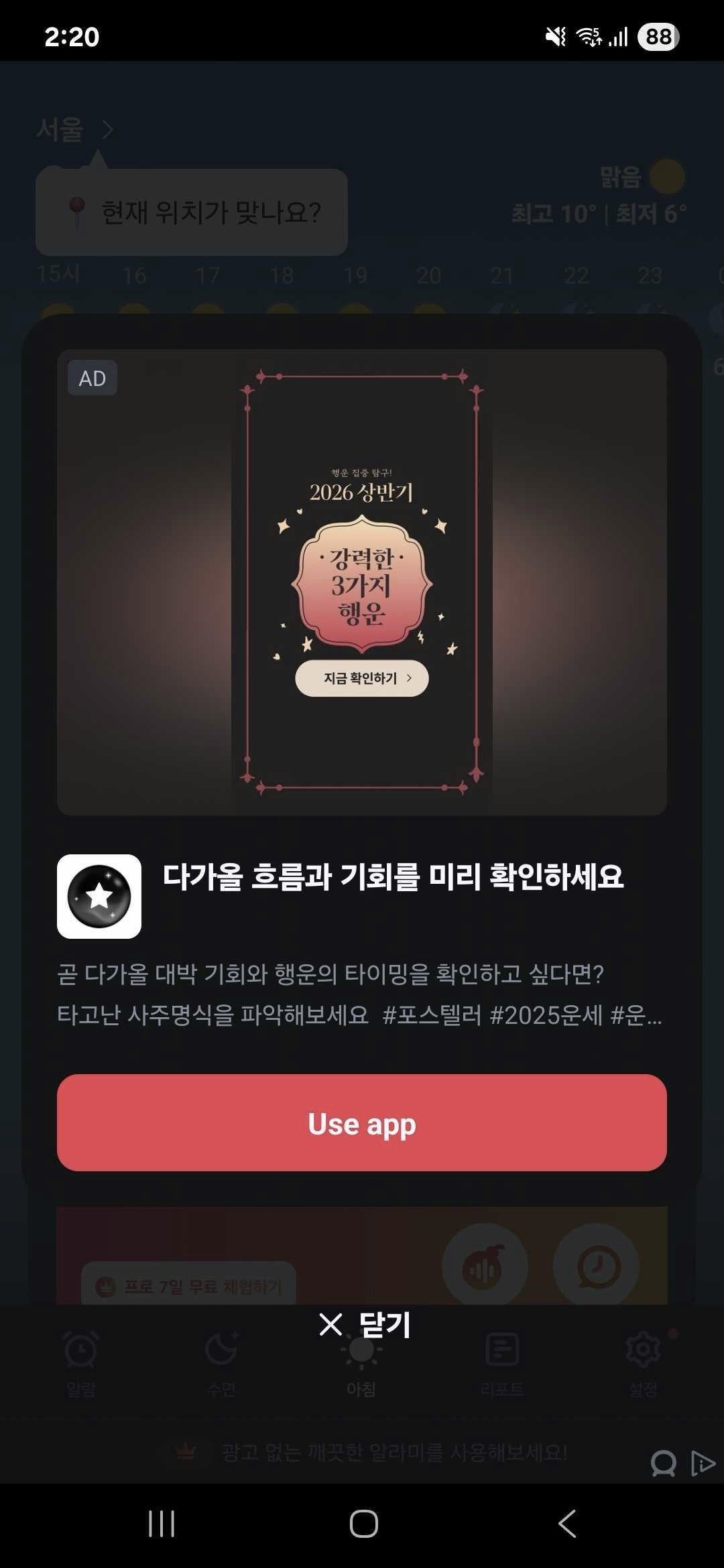
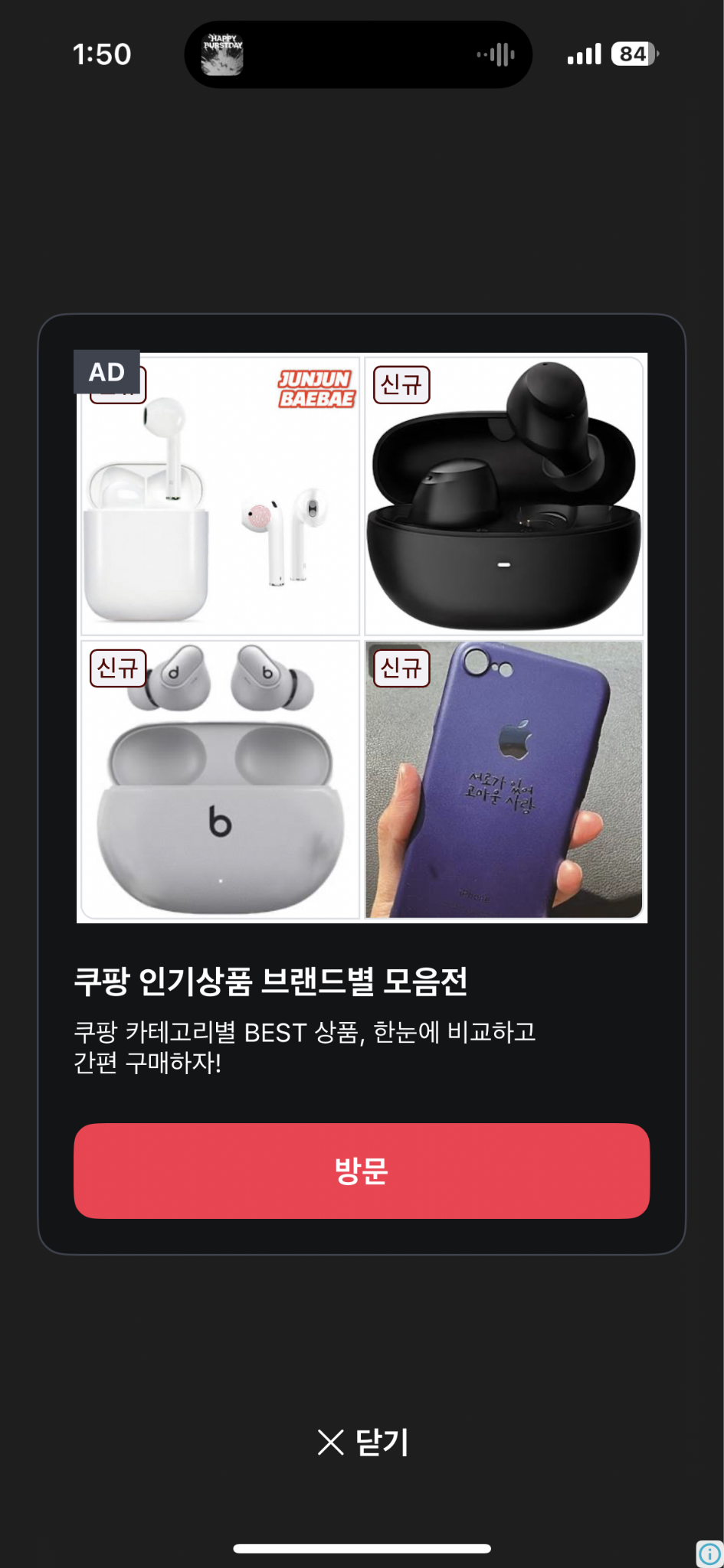
- A full-screen ad format.
- Automatically closes after 8 seconds. Less disruptive to UX compared to interstitial or rewarded video ads.
- Android light popup example
- iOS light popup example
Creating Instance and Setting Callbacks
Create aDaroLightPopupAd instance and set up callbacks.
import 'package:daro_flutter/daro_flutter.dart';
final lightPopupAd = DaroLightPopupAd(adUnitId: '{YOUR_AD_UNIT_ID}');

lightPopupAd.onAdLoadSuccess = (adInfo) {
  print('LightPopup ad loaded');
};
lightPopupAd.onAdLoadFail = (error) {
  print('LightPopup ad failed to load: ${error.message}');
};
lightPopupAd.onAdImpression = (adInfo) {
  print('LightPopup ad impression');
};
lightPopupAd.onAdClicked = (adInfo) {
  print('LightPopup ad clicked');
};
lightPopupAd.onAdShown = (adInfo) {
  print('LightPopup ad shown');
};
lightPopupAd.onAdFailedToShow = (error) {
  print('LightPopup ad failed to show: ${error.message}');
};
lightPopupAd.onAdDismiss = (adInfo) {
  print('LightPopup ad dismissed');
};
Loading Ads
Callload() to load an ad.
lightPopupAd.load();
Showing Ads
Check if the ad is ready withisReady(), then display it with show().
final isReady = await lightPopupAd.isReady();

if (isReady) {
  lightPopupAd.show();
}
Releasing Resources
Calldispose() to release resources when done.
lightPopupAd.dispose();
Style Customization
UseDaroLightPopupStyle to customize the UI of light popup ads. Pass Flutter Color objects directly.
final lightPopupAd = DaroLightPopupAd(
  adUnitId: '{YOUR_AD_UNIT_ID}',
  style: DaroLightPopupStyle(
    backgroundColor: const Color(0xB2121416),  // Overall background color
    containerColor: const Color(0xFF121416),   // Card background color
    titleColor: const Color(0xFFF7FAFF),       // Title color
    bodyColor: const Color(0xFFB6BECC),        // Body text color
    ctaBackgroundColor: const Color(0xFFEB2640), // CTA button background color
    ctaTextColor: const Color(0xFFFFFFFF),     // CTA button text color
    closeButtonColor: const Color(0xFFF7FAFF), // Close button text color
    closeButtonText: 'Close AD',               // Close button text
    adMarkLabelTextColor: const Color(0xFFF7FAFF),   // Ad mark label text color
    adMarkLabelBackgroundColor: const Color(0xFF3E434F), // Ad mark label background color
  ),
);
Style Properties
| Property | Type | Description |
|---|---|---|
backgroundColor | Color? | Overall background color |
containerColor | Color? | Card background color |
titleColor | Color? | Title color |
bodyColor | Color? | Body text color |
ctaBackgroundColor | Color? | CTA button background color |
ctaTextColor | Color? | CTA button text color |
closeButtonColor | Color? | Close button text color |
closeButtonText | String? | Close button text |
adMarkLabelTextColor | Color? | Ad mark label text color |
adMarkLabelBackgroundColor | Color? | Ad mark label background color |
Implementation Example
This is an example implementation of `DaroLightPopupAd`.
This is an example implementation of `DaroLightPopupAd`.
import 'package:flutter/material.dart';
import 'package:daro_flutter/daro_flutter.dart';

class LightPopupAdPage extends StatefulWidget {
  const LightPopupAdPage({super.key});

  @override
  State<LightPopupAdPage> createState() => _LightPopupAdPageState();
}

class _LightPopupAdPageState extends State<LightPopupAdPage> {
  late final DaroLightPopupAd _lightPopupAd;
  String _status = 'Not Loaded';

  @override
  void initState() {
    super.initState();
    _lightPopupAd = DaroLightPopupAd(
      adUnitId: '{YOUR_AD_UNIT_ID}',
      style: DaroLightPopupStyle(
        backgroundColor: const Color(0xB2121416),
        containerColor: const Color(0xFF121416),
        titleColor: const Color(0xFFF7FAFF),
        bodyColor: const Color(0xFFB6BECC),
        ctaBackgroundColor: const Color(0xFFEB2640),
        ctaTextColor: const Color(0xFFFFFFFF),
        closeButtonColor: const Color(0xFFF7FAFF),
        closeButtonText: 'Close AD',
        adMarkLabelTextColor: const Color(0xFFF7FAFF),
        adMarkLabelBackgroundColor: const Color(0xFF3E434F),
      ),
    );
    _setupCallbacks();
  }

  void _setupCallbacks() {
    _lightPopupAd.onAdLoadSuccess = (adInfo) {
      setState(() => _status = 'Loaded');
    };

    _lightPopupAd.onAdLoadFail = (error) {
      setState(() => _status = 'Failed to Load');
      print('LightPopup ad failed to load: ${error.message}');
    };

    _lightPopupAd.onAdShown = (adInfo) {
      setState(() => _status = 'Shown');
    };

    _lightPopupAd.onAdFailedToShow = (error) {
      setState(() => _status = 'Failed to Show');
    };

    _lightPopupAd.onAdDismiss = (adInfo) {
      setState(() => _status = 'Not Loaded');
    };

    _lightPopupAd.onAdClicked = (adInfo) {
      print('LightPopup ad clicked');
    };

    _lightPopupAd.onAdImpression = (adInfo) {
      print('LightPopup ad impression');
    };
  }

  @override
  void dispose() {
    _lightPopupAd.dispose();
    super.dispose();
  }

  @override
  Widget build(BuildContext context) {
    return Scaffold(
      appBar: AppBar(title: const Text('Light Popup Ad')),
      body: Center(
        child: Column(
          mainAxisAlignment: MainAxisAlignment.center,
          children: [
            Text('Status: $_status'),
            const SizedBox(height: 16),
            ElevatedButton(
              onPressed: () async {
                final isReady = await _lightPopupAd.isReady();
                if (isReady) {
                  _lightPopupAd.show();
                } else {
                  setState(() => _status = 'Loading...');
                  _lightPopupAd.load();
                }
              },
              child: Text(_status == 'Loaded' ? 'Show LightPopup' : 'Load LightPopup'),
            ),
          ],
        ),
      ),
    );
  }
}